2026-10-26
AI Max for Search: how to see and control the searches it adds
Check your own searches first. Analyze your search terms CSV free (no signup). It shows how many likely junk searches you paid for, and an email opens the full list. No file? Try a sample account on the same page.
You opened your search terms report and found searches you never chose. Next to them, the match type says "AI Max". This page explains what that means, in plain words, and what you can do about it without breaking your campaign.
What AI Max is, in one paragraph
AI Max is not a new campaign type. Google calls it an optimization layer inside your normal Search campaigns (Set up AI Max for Search campaigns, Google Ads Help). It has two main parts:
- Search term matching. Google uses broad match and what it calls keywordless technology to show your ads for more searches. It learns from your keywords, your ads and your landing pages (How AI Max for Search campaigns works, Google Ads Help).
- Asset optimization. Google writes extra ad text (text customization, formerly automatically created assets) and can send people to other pages of your site (Final URL expansion).
This page is about part 1, because that is the part that decides which searches you pay for.
Is AI Max on in your account?
It might be, even if you never turned it on:
- New Search campaigns have AI Max on by default (Set up AI Max, Google Ads Help).
- Campaigns that already used the old broad match campaign setting, brand settings or text customization (formerly automatically created assets) are upgraded into AI Max (How AI Max works, Google Ads Help).
- Brand exclusions for Search began moving into AI Max on May 27, 2025. Google says that if you do nothing, the exclusions you already have keep working outside AI Max. Adding a new brand list requires AI Max (Apply brand exclusions, Google Ads Help).
To check: in Google Ads go to Campaigns, open the Settings tab, select the campaign and look for the AI Max section. Google also lets you add AI Max as a column in the campaign list.
One detail worth knowing: Google says the search term matching feature will not work with Manual CPC. It relies on automated bidding such as Maximize conversions or Maximize conversion value (AI Max FAQ, Google Ads Help).
How to find the searches AI Max added
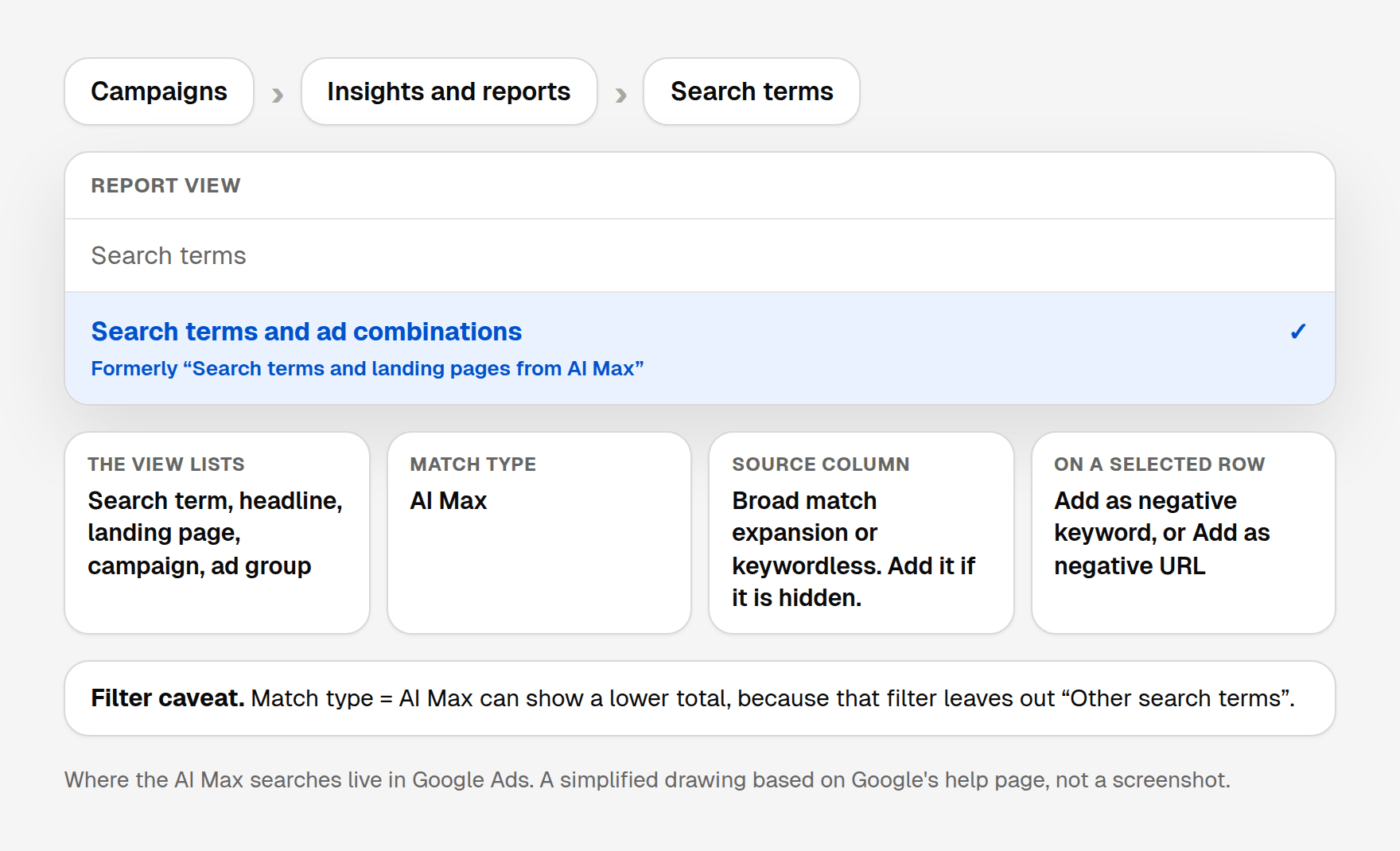
- In Google Ads, select Campaigns in the left menu, then Insights and reports, then Search terms (About the search terms report, Google Ads Help).
- On the report, open the Search terms dropdown and choose Search terms and ad combinations. Google used to call this view "Search terms and landing pages from AI Max" (About reporting in AI Max for Search campaigns, Google Ads Help).
- Look at the Match type column. Searches added by AI Max show AI Max there. If you filter Match type to AI Max, the totals can look smaller than the rest of the report. Google says that filter does not include "Other search terms".
- Add the Source column if you do not already see it. Google says it tells you whether the match came from broad match expansion or keywordless matching (How AI Max works, Google Ads Help).
- Sort by Cost and start with the AI Max searches that spent money and never converted.
Keywordless means the search was not one of your keywords. Google matched it from your landing pages or assets. That is where the surprises usually are.
From that same view you can act on a row. Check the box next to a search term or a landing page, then choose Add as negative keyword or Add as negative URL (About reporting in AI Max, Google Ads Help).
Keep in mind that Google leaves some low-volume searches out of the report for privacy (About the search terms report, Google Ads Help). The report never shows everything.
A made-up example
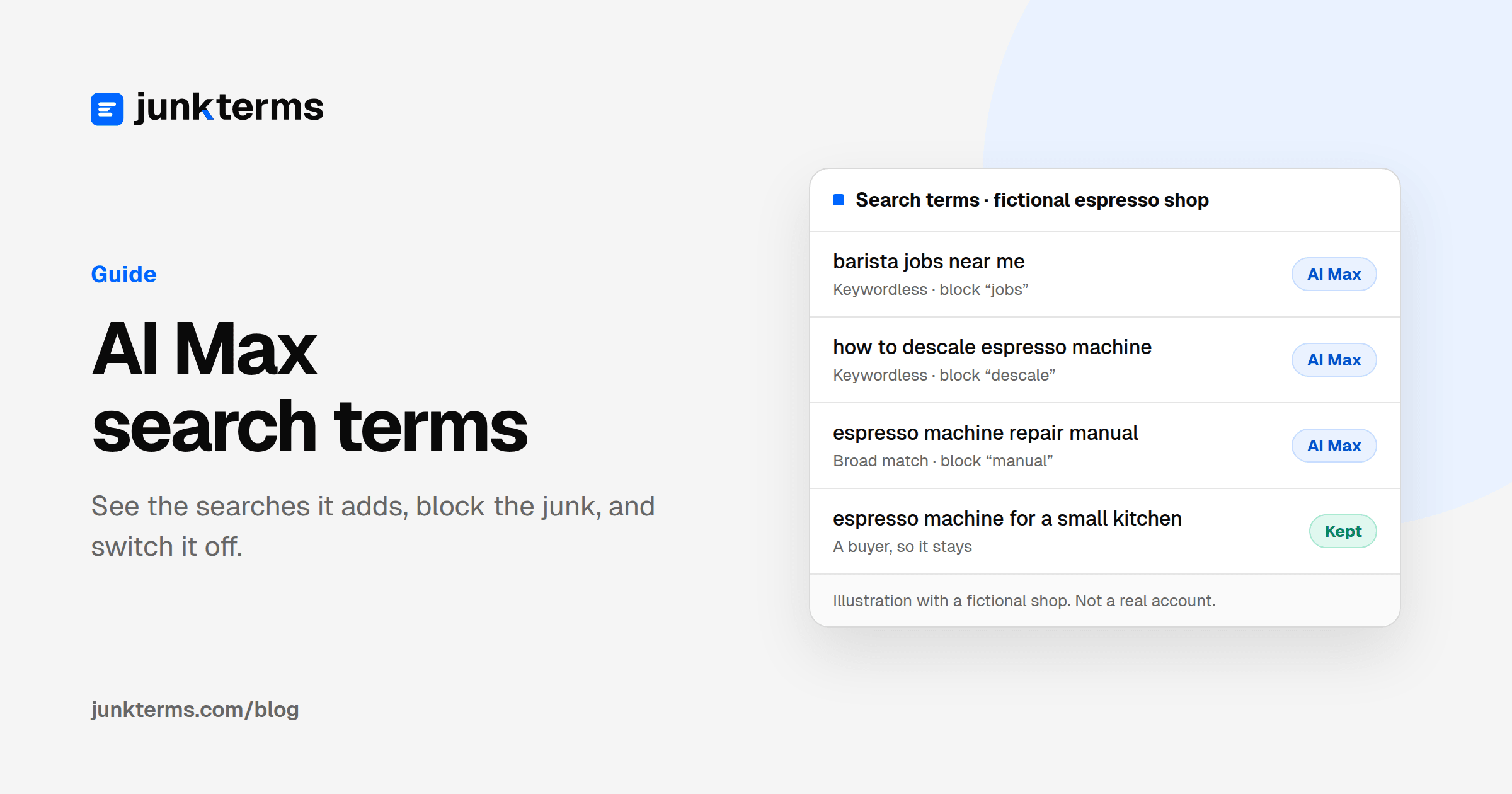
A small shop sells espresso machines. The shop, and every search below, is made up. These are not real searches and not a real account. AI Max is on. In the report you might see:
| Search term | Match type | What it is | What to do |
|---|---|---|---|
| espresso machine for small kitchen | AI Max (broad match) | A buyer | Keep it |
| how to descale espresso machine | AI Max (keywordless) | Someone who already owns one | Block "descale" |
| barista jobs near me | AI Max (keywordless) | A job seeker | Block "jobs" |
| espresso machine repair manual pdf | AI Max (broad match) | DIY research | Block "manual" and "pdf" |
There are no spend figures here on purpose. The point is that one setting can open the door to all of these.
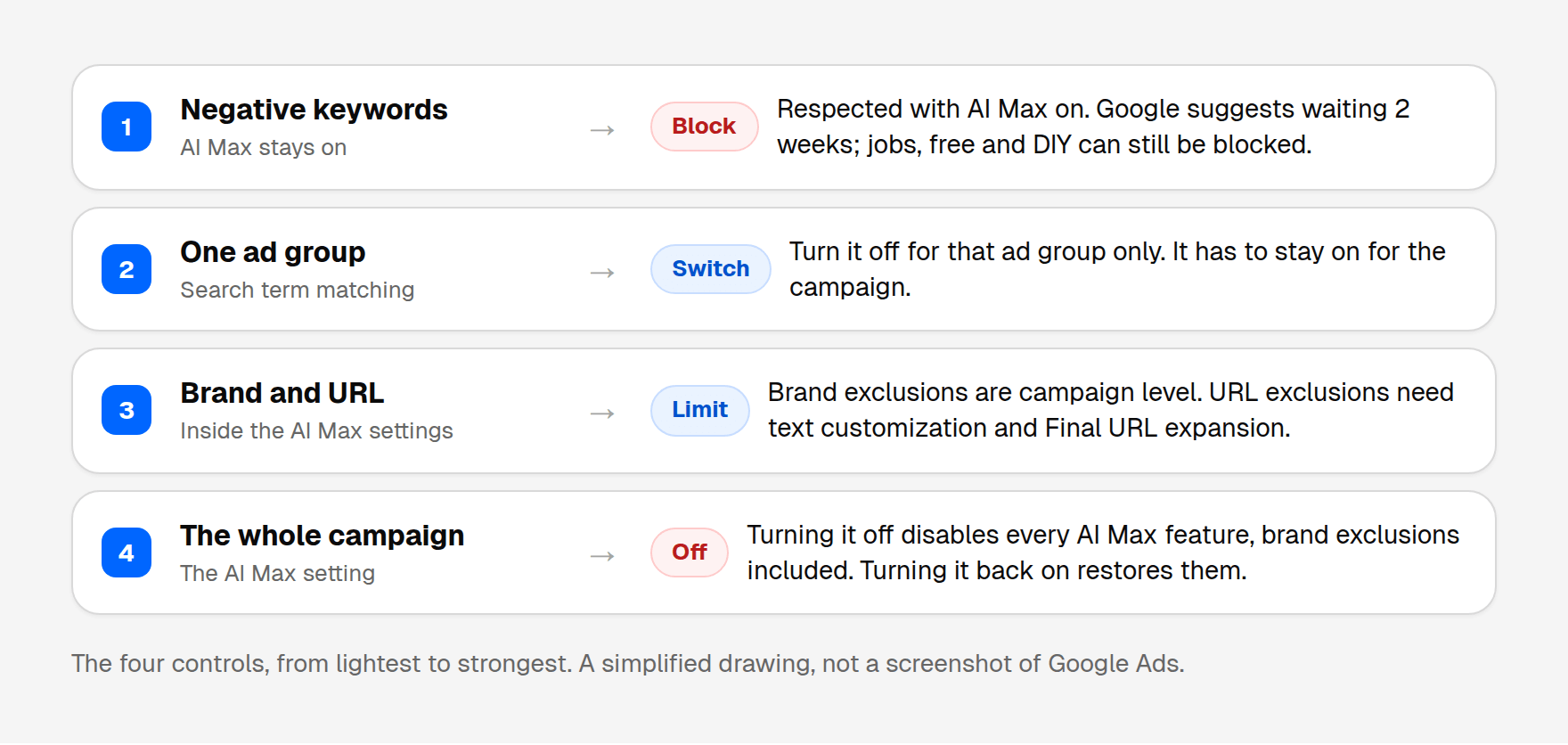
Your 4 controls, from lightest to strongest
1. Negative keywords (keep AI Max, block the junk)
Google's FAQ answers this directly: "Negative keywords will be respected even with AI Max turned on" (AI Max FAQ, Google Ads Help).
Google also recommends waiting at least 2 weeks after you turn AI Max on before you make changes, and it gives adding negative keywords as the example, so the campaign can learn (About reporting in AI Max, Google Ads Help). That is Google's recommendation. A search that is clearly junk, such as jobs, free or DIY, can still be blocked.
The weekly habit is otherwise the same: read the report, block the junk words. Two things to remember from Google's negative keyword rules (About negative keywords, Google Ads Help):
- Negatives don't match close variants. If you block "manual", add "manuals" too.
- Add synonyms yourself ("jobs", "job", "hiring", "career").
More on picking the right type in our guide to negative keyword match types.
2. Turn off search term matching for one ad group
If one ad group keeps pulling in junk, you can switch search term matching off just there. Google's steps: go to Ad groups, select the ad group, choose Search term matching and toggle it off (Set up AI Max, Google Ads Help). Your other ad groups keep it. Search term matching has to be on for the campaign before the ad group switch does anything.
3. Brand and URL controls
- Brand exclusions stop your ads on searches for brands you don't want. That control is at campaign level. Brand inclusions limit ads to brands you choose, at campaign or ad group level. An ad group inclusion overrides the campaign one for that ad group only.
- URL exclusions stop Google from sending people to pages you don't want, such as a blog or a privacy policy page. That control is at campaign level, and it needs text customization and Final URL expansion turned on.
All of these live inside the AI Max settings (Set up AI Max, Google Ads Help; About Final URL expansion, Google Ads Help).
4. Turn AI Max off for the campaign
Campaigns menu, Settings tab, select the campaign, open AI Max and toggle it off (Set up AI Max, Google Ads Help).
Read this first: Google says turning AI Max off disables all of its features, including brand exclusions you set up inside it. Turning it back on restores those settings as they were (AI Max FAQ, Google Ads Help). If you rely on brand exclusions, use option 2 instead.
Which one should you pick?
- A few junk searches, the rest look fine: negatives (option 1).
- One ad group full of off-topic searches: switch matching off for that ad group (option 2).
- Wrong brands or wrong landing pages: brand or URL controls (option 3).
- Most AI Max searches spend and never convert, week after week: turn it off for that campaign (option 4), and check you're not losing brand exclusions.
Whatever you choose, check the report again the next week. AI Max keeps finding new searches, so this isn't a one-time job.
Want this done every week? JunkTerms reads your search terms, AI Max ones included, flags the junk with a plain reason, and adds only the negatives you approve. Start with the free analysis, no signup.
FAQ
What does "AI Max" mean in the match type column? The search was added by AI Max's search term matching, not by one of your keywords on its own. The source column says whether it came from broad match expansion or keywordless matching. Filtering the report to that match type can show a smaller total, because the filter leaves out "Other search terms".
Do negative keywords work with AI Max? Yes. Google's FAQ says negative keywords are respected with AI Max on. Google also recommends waiting at least 2 weeks after you enable AI Max before adding negatives, so it can learn. Clearly irrelevant searches, such as jobs, free or DIY, can still be blocked.
Can I turn off AI Max search term matching without turning off AI Max? Yes, per ad group, in the ad group's Search term matching settings. The campaign still has to have search term matching switched on.
Will I lose anything if I turn AI Max off? Google says all AI Max features turn off, including brand exclusions set inside it. Turning it back on restores those settings as they were.
Does AI Max work with Manual CPC? No. Google says search term matching will not work with Manual CPC. It relies on automated bidding such as Maximize conversions or Maximize conversion value.
Sources
- How AI Max for Search campaigns works: https://support.google.com/google-ads/answer/15910187?hl=en
- Set up AI Max for Search campaigns: https://support.google.com/google-ads/answer/15909989?hl=en
- Frequently asked questions about AI Max for Search campaigns: https://support.google.com/google-ads/answer/15913066?hl=en
- About reporting in AI Max for Search campaigns: https://support.google.com/google-ads/answer/16470459?hl=en
- About Final URL expansion in Search: https://support.google.com/google-ads/answer/16230205?hl=en
- Apply brand exclusions to Performance Max or Search campaigns: https://support.google.com/google-ads/answer/14505308?hl=en
- About negative keywords: https://support.google.com/google-ads/answer/2453972?hl=en
- About the search terms report: https://support.google.com/google-ads/answer/2472708?hl=en
Every account gets one free analysis: run the script or upload a CSV (up to 1,000 terms).