2026-10-22
Performance Max search terms: how to see them and clean them up
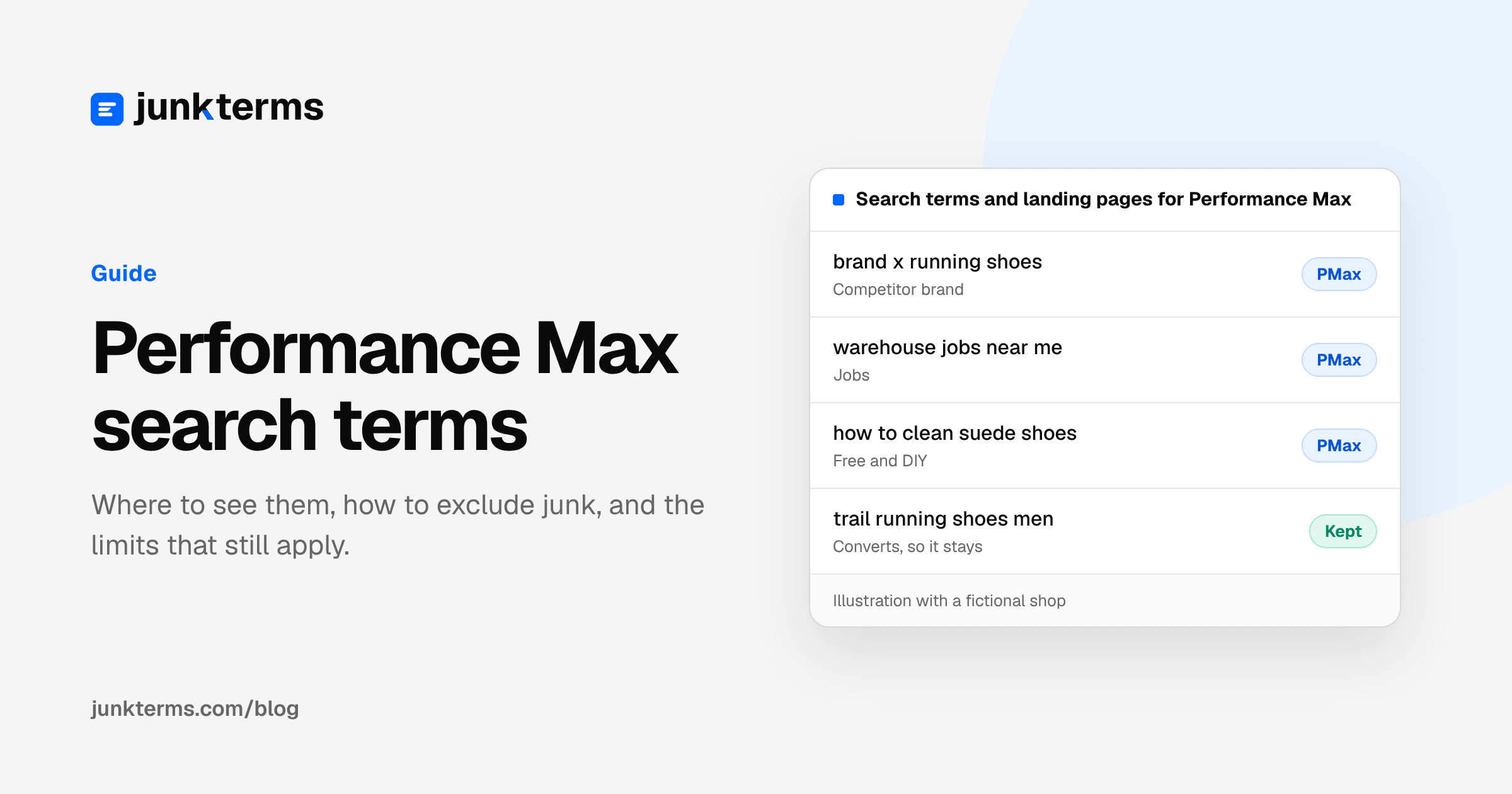
For a long time, Performance Max was a black box for search terms: you could see categories, but not the actual searches, and you could barely exclude anything. That changed during 2025. Today you can see the search terms behind your Performance Max ads, block the junk with negative keywords, and keep brand traffic out with brand exclusions.
This guide covers where to find the data, how each exclusion tool works, and the limits that still apply.
Two places to see Performance Max search terms
1. The search terms report. Google added full search terms reporting to Performance Max in 2025 (announcement on the Google Ads & Commerce blog). To open it:
- In Google Ads, open Campaigns, then Insights and reports, then Search terms.
- In the dropdown, choose Search terms and landing pages for Performance Max.
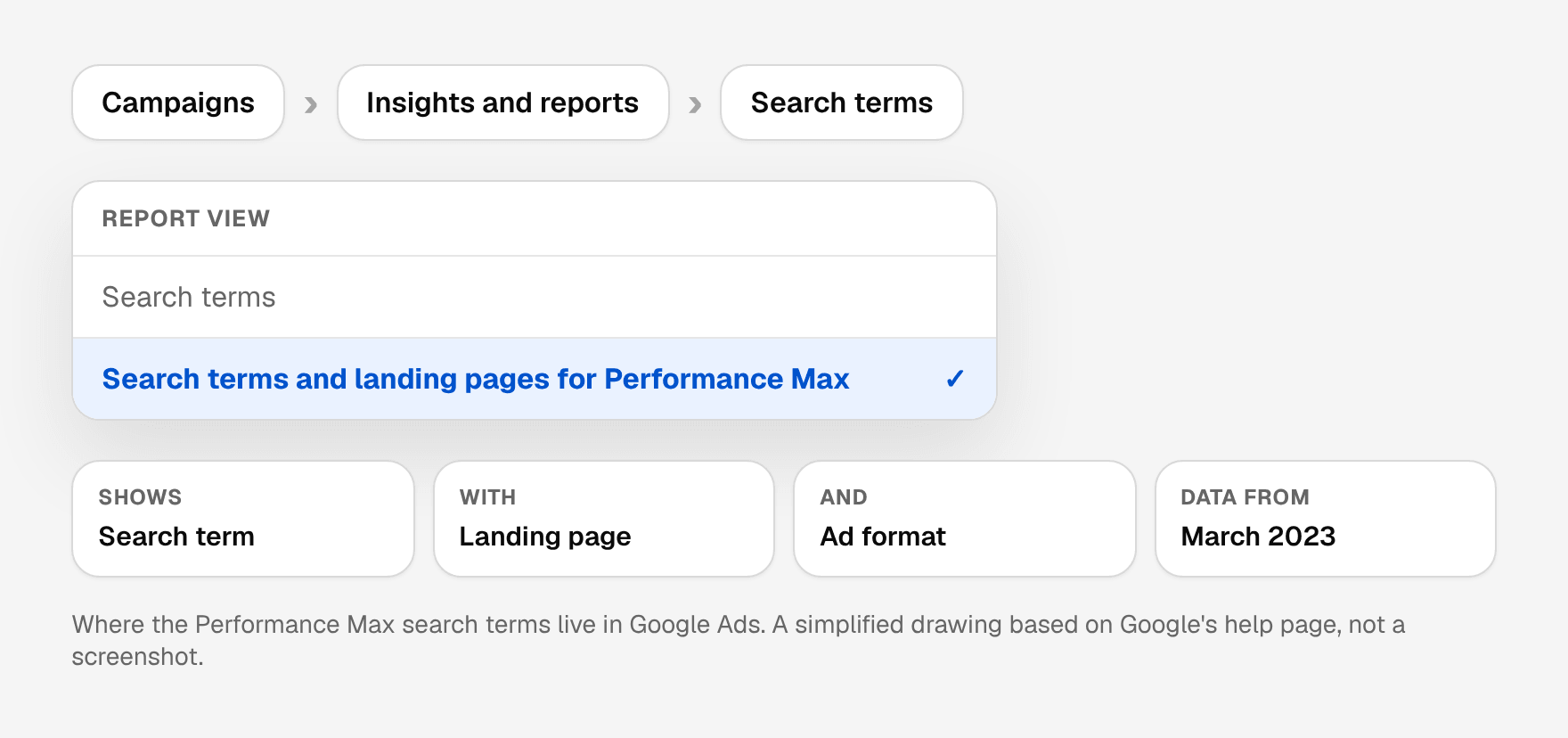
Google's page About the search terms report in Performance Max explains that this view shows each search term with its landing page and ad format (Shopping ads or text ads), and that data starts from March 2023. It also suggests prioritizing conversion data over clicks and impressions, because Performance Max serves across many channels.
2. Search terms insights. Insights group searches into categories and subcategories with performance metrics. Google says in About search terms insights that these categories take into account searches that are hidden from the search terms report for privacy reasons. You find them under Insights and reports, then Insights. The source column tells you whether a search came from Performance Max's own keywordless targeting or from the search themes you added (Evaluate Performance Max results).
3. The Google Ads API, for tools and scripts. If you pull data programmatically, Google's campaign criterion reporting guide for Performance Max says to use campaign_search_term_view, which covers both Performance Max and Search campaigns at the campaign level. The older search_term_view aggregates at the ad group level and doesn't include Performance Max. Adding a keyword segment to the query filters the Performance Max rows out, which is an easy way to end up with an empty report.
How to use them together: start with insights to spot a whole category that doesn't fit (for example a "jobs" or "free" cluster), then open the search terms report to see the specific searches and costs before you block anything.
How to read the report
Sort by cost and look at searches with spend and no conversions first. For each one, ask:
- Is the intent different? Jobs, training, free versions, DIY, a product you don't sell. These are usually safe to block.
- Is it borderline? "Cheap", "reviews", "near me" can be junk for one business and a buying signal for another. Leave these alone until your own conversion data says otherwise.
- Did it convert? Then it stays, however odd it looks.
- Which format served it? The report shows whether the search triggered a Shopping ad or a text ad, and the landing page it led to. A search that sent people to the wrong page may need a landing page fix rather than a negative.
Two Performance Max habits make the report harder to read than a Search campaign's. First, there are no keywords: you can't trace a search back to the keyword that caught it, only to the campaign and the search themes you supplied. Second, Performance Max spreads its budget over many searches, so in a small account each one may only get a few clicks a week. Judge intent from the words themselves, and use a longer date range before you call a borderline search a loser.
The same triage applies in Search campaigns; our practical guide to Google Ads negative keywords covers it in detail. For a starting set of themes, see common negative keyword patterns.
Three ways to exclude searches in Performance Max
Campaign-level negative keywords
Google rolled out campaign-level negatives to all Performance Max campaigns in early 2025 with a limit of 100, then raised it to 10,000 per campaign in April 2025 (Google's announcement). The same 10,000 limit appears in the Google Ads API documentation for Performance Max.
To add them, following Negative keywords in Performance Max campaigns:
- Go to Campaigns, then Keywords.
- Open the Negative keywords tab and click the plus button.
- Select your Performance Max campaign.
- Add keywords one per line (use
"quotes"for phrase and[brackets]for exact), or pick an existing negative keyword list. - Save.
Negative keyword lists
In August 2025 Google added the option to apply negative keyword lists to Performance Max campaigns (Unlock more visibility and control in Performance Max). This is the most maintainable option if you run several campaigns: build the list once in the shared library and attach it to the Performance Max and Search campaigns that should share it.
Account-level negative keywords
Account-level negatives apply automatically to Search and Shopping inventory across relevant campaign types, Performance Max included, up to 1,000 terms (About account-level negative keywords). Keep this level for a short list of terms that should never trigger any ad. You add them under Admin, then Account settings, then Negative keywords.
One rule from Search still applies: negative keywords don't match close variants, so plurals and synonyms need their own entries (About negative keywords).
Choosing the level
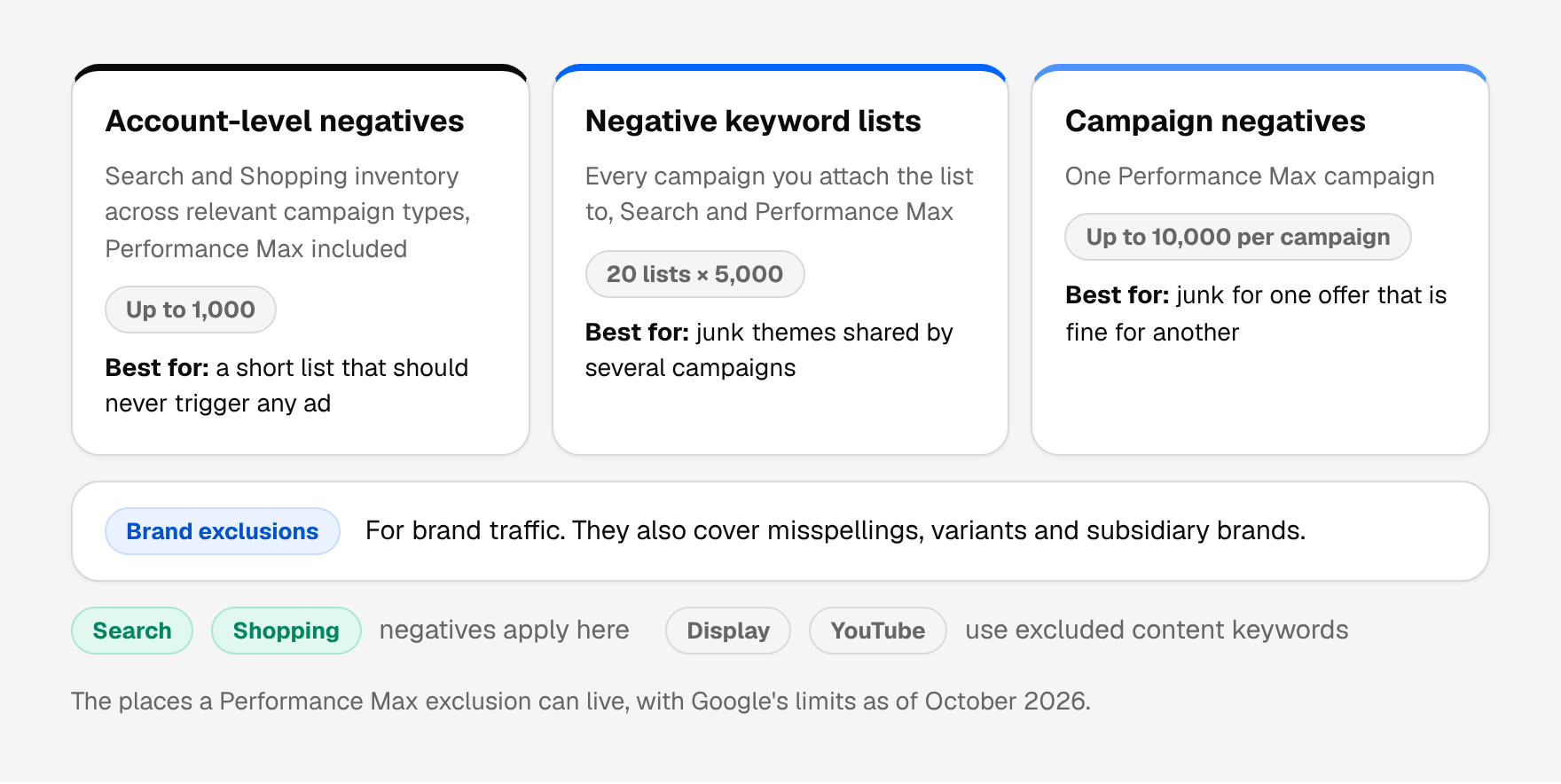
The levels overlap, so pick by how widely a term is wrong. A search that is junk for every campaign in the account, such as job searches for a shop, belongs on a negative keyword list attached to every campaign, or at account level if the list of absolutes is short. A search that is wrong for one campaign only, such as accessories in a campaign built to sell shoes, belongs on that campaign. The list limits come from About negative keyword lists.
Brand terms: use brand exclusions, not negatives
If you want Performance Max to stop spending on your own brand searches, or on a competitor's, Google recommends brand exclusions rather than negative keywords. In its Performance Max guidance (About negative keywords for Performance Max), Google explains that brand exclusions also block common misspellings, variants and subsidiary brands, which a list of negatives would miss.
To add them to an existing campaign (Apply brand exclusions): open the campaign Settings, then Additional settings, then Brand exclusions, select or create a brand list, and save. For retailers there is an option to keep Shopping ads showing on searches that mention excluded brands.
The limits you should know
- Negatives cover Search and Shopping inventory only. Google states that Performance Max negative keywords don't apply to other inventory. For Display and Video, Google points to excluded content keywords in content suitability settings instead (search terms report in Performance Max).
- Google calls negatives "a highly restrictive control." Its Performance Max guidance recommends using them only for brand safety or for completely irrelevant terms, because they can stop the system from finding valuable traffic. That is a fair warning: block clear categories, not everything that looks unusual.
- Not every search is visible. Low-volume searches are omitted from the report for privacy. Insights cover them in aggregate, but you can't block what you can't see individually.
A weekly routine for Performance Max
- Check search terms insights for new categories that don't fit your business.
- Open the Performance Max search terms report for the last seven days, sorted by cost.
- Add clear junk to a shared negative keyword list attached to Performance Max and to the Search campaigns where it also appears.
- Use brand exclusions for brand traffic you don't want.
- Note the borderline searches you kept, so you don't re-review them next week.
A worked example
Here is a week of Performance Max search terms for a fictional shoe shop that sells running shoes and shoe care products, with one decision per search.
Illustrative example with a fictional shop. These are not real searches from a client account, and no results are claimed.
| Search term | Decision | How to exclude it | Why |
|---|---|---|---|
| warehouse jobs near me | Block | jobs (broad) on a list attached to every campaign | A job seeker. Never a customer, in any campaign. |
| how to clean suede shoes | Block | "how to clean" (phrase) as a campaign negative | Wants instructions. Phrase match keeps "suede shoe cleaning kit" open. |
| running shoe repair near me | Block | repair (broad) as a campaign negative | The shop doesn't repair shoes. |
| [competitor] running shoes | Exclude | Brand exclusion with the competitor's brand | Brand exclusions also cover misspellings and variants. |
| suede shoe cleaning kit | Keep | None | A product the shop sells, and it converted. |
| trail running shoes men | Keep | None | The core search for the campaign. |
| best running shoes 2026 | Keep for now | None | Research, but close to buying. Check conversions over a longer range first. |
The pattern to copy: block the narrowest wording that removes the junk, use brand exclusions for brands, and keep anything that converted even when it looks odd.
Where JunkTerms fits
JunkTerms runs the weekly review for Search and Performance Max. Its Google Ads script reads the Performance Max search terms report per campaign (the search term with its clicks, impressions, cost and conversions) alongside your Search terms. Each suggested negative comes with a reason, searches that converted are kept, and nothing is added until you approve it.
Google Ads scripts can't attach a shared list to Performance Max, so approved negatives go on your Performance Max campaigns as campaign negative keywords. A negative approved for the whole account is added to every enabled Performance Max campaign; a negative approved for one campaign is added only there. The script stops at Google's limit of 10,000 negatives per campaign, and a Preview or dry run only logs what it would add, without writing anything.
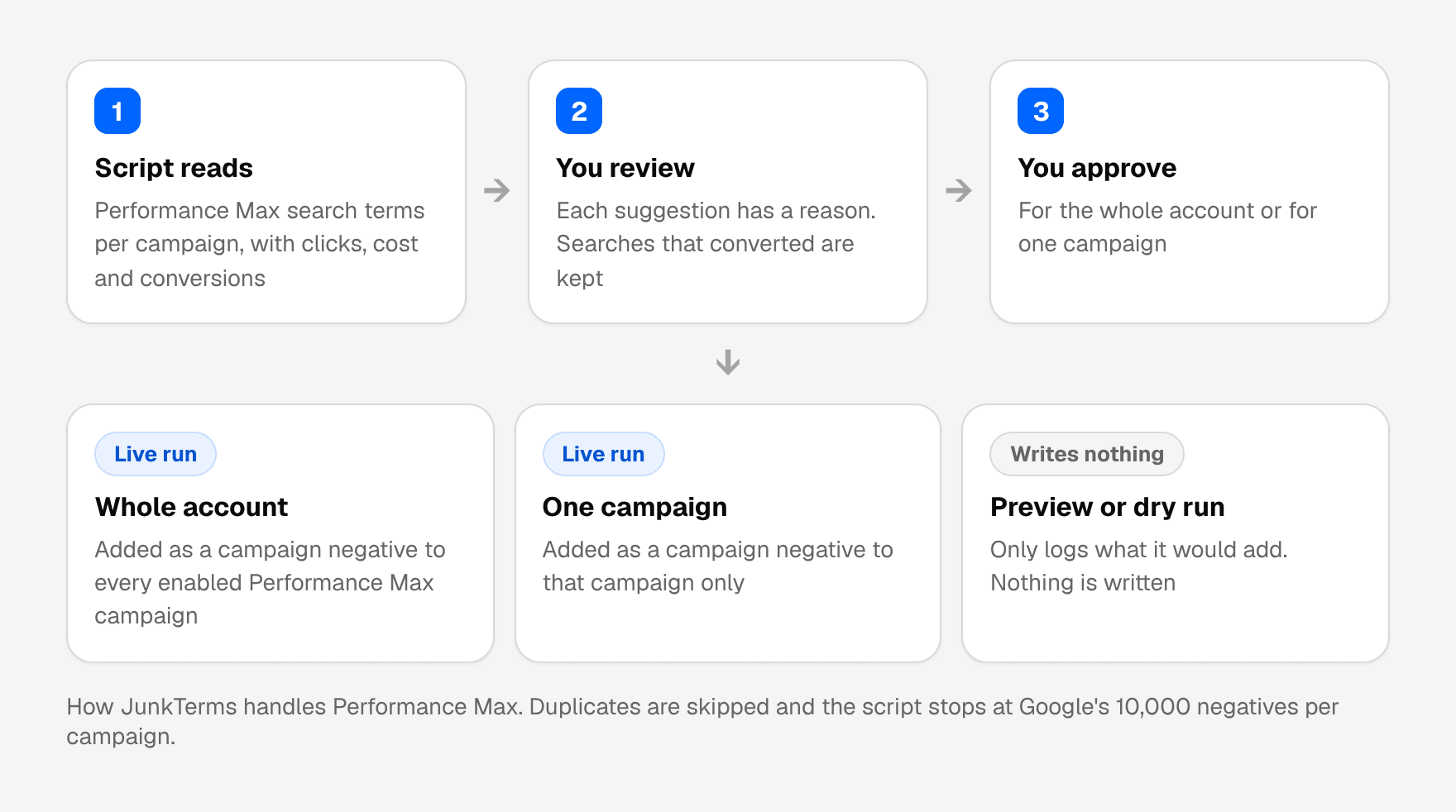
The script doesn't change bids, budgets, ads or existing keywords, and it skips negatives that are already on the campaign.
To see how the suggestions look on your data, try the free CSV demo: it counts the likely junk in a search terms export with no login, and an email opens the full list. Nothing is added to Google Ads from that page. The plans explain what runs every Monday: $19 a month for one account, $39 for up to three and $149 for up to fifteen, with a 14-day money-back guarantee instead of a trial.
FAQ
Can you see search terms in Performance Max? Yes. Choose "Search terms and landing pages for Performance Max" in the search terms report, and use search terms insights for grouped categories that include low-volume searches.
Can you add negative keywords to Performance Max? Yes. Google supports campaign-level negatives (up to 10,000 per campaign), negative keyword lists, and account-level negatives that apply to Performance Max.
Do Performance Max negative keywords block YouTube or Display ads? No. Google says they apply to Search and Shopping inventory only. For Display and Video, Google points to excluded content keywords.
Should I exclude my brand with negative keywords or brand exclusions? Google recommends brand exclusions, because they also cover misspellings, variants and subsidiary brands.
Why don't I see all my Performance Max search terms? Google omits low-volume searches from the report for privacy reasons. Search terms insights include them in grouped categories without showing the individual searches.
Can a Google Ads script add negative keywords to Performance Max? JunkTerms' script does, as campaign negative keywords. Scripts can't attach a shared list to Performance Max, so an approved account-wide negative is added to every enabled Performance Max campaign instead.
What happens when a Performance Max campaign reaches 10,000 negatives? Google's limit is 10,000 negative keywords per campaign. JunkTerms' script stops adding at that limit. Long before that point, it is worth moving shared junk to a negative keyword list or account level.
Do Performance Max negatives apply to Shopping ads? Yes. Google says they apply to Search and Shopping inventory. They don't apply to Display, YouTube or other inventory.
How far back does the Performance Max search terms report go? Google says the data in the Performance Max search terms report starts from March 2023.
Does JunkTerms change my Performance Max settings? No. It only adds the negatives you approved, as negative keywords. It doesn't change bids, budgets, ads or existing keywords, and a Preview or dry run writes nothing.
Every account gets one free analysis: run the script or upload a CSV (up to 1,000 terms).