2026-10-22
Common negative keywords: 9 junk search patterns to check first
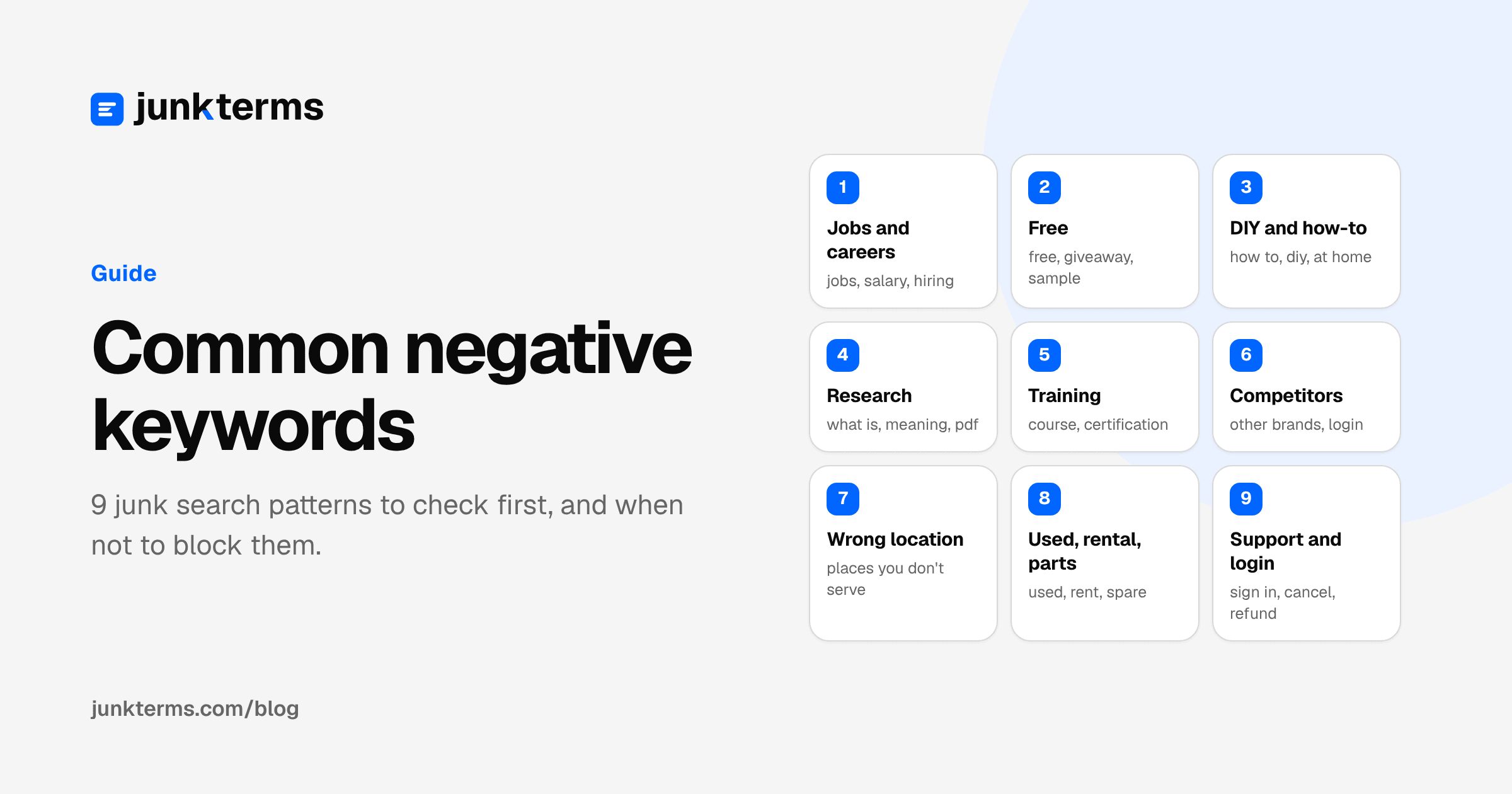
Every Google Ads account buys some searches it never wanted. The specific words change from one business to the next, but the patterns repeat: people looking for a job, for something free, for instructions, for a competitor, or for a place you don't serve.
This page lists those patterns with generic examples, plus the cases where each one is not junk. Use it as a checklist when you read your search terms report, not as a list to paste blindly.
Why the same junk shows up everywhere
Positive keywords match more than the words you typed. Google says in Keyword close variants that all match types can match close variants, with no way to opt out, and broad match reaches related searches by meaning (About keyword matching options). So a keyword for your service also attracts searches about your service: careers in it, free versions of it, how to do it yourself.
Negative keywords work the other way. They don't match close variants or other expansions (About negative keywords), so if you want to block a pattern, you need to add the word forms you actually see.
The 9 patterns
Examples use placeholders: [service] is what you sell, [product] an item, [city] a place.
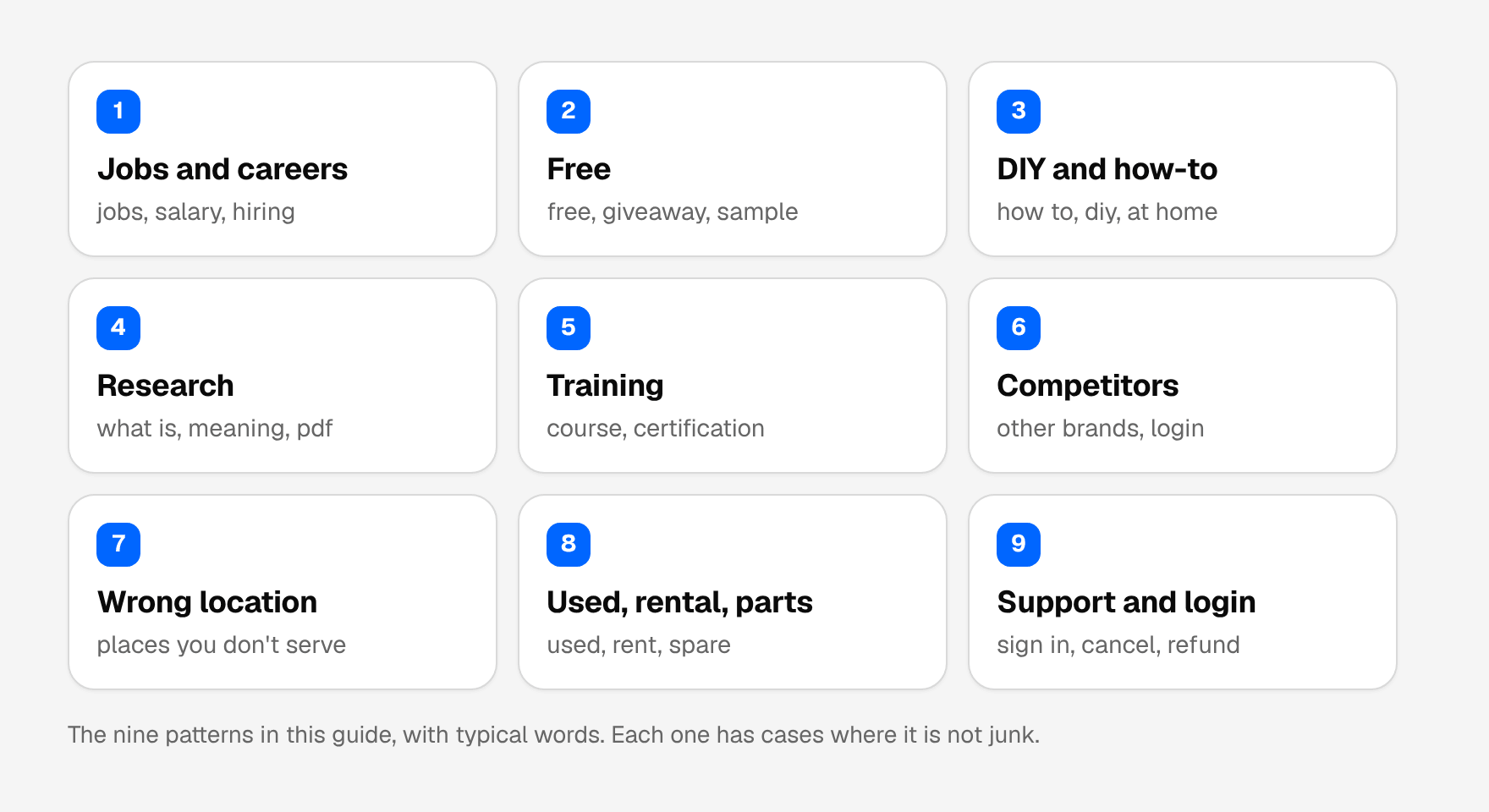
1. Jobs and careers
People who want to work in your industry, not buy from it.
- Typical words: jobs, hiring, salary, career, resume, internship, apprenticeship, near me hiring
- Generic examples: "[service] jobs", "[service] technician salary", "how to become a [service] professional"
- Don't block when: you are recruiting, or you sell training or job boards.
2. Free and freebies
Searches for something that costs nothing.
- Typical words: free, gratis, giveaway, no cost, sample
- Generic examples: "free [product]", "[service] for free"
- Don't block when: you offer a free quote, free consultation or free shipping and your ads say so. "Free estimate" can be a buying signal. Check conversions before blocking the single word.
3. DIY and how-to
People who want to do the job themselves.
- Typical words: how to, diy, at home, homemade, tutorial, step by step, yourself
- Generic examples: "how to fix [problem] yourself", "diy [product]", "[product] at home"
- Don't block when: you sell the tools, kits or parts a DIYer needs. For a shop, "diy [product] kit" may be exactly the customer.
4. Research and definitions
Informational searches with no buying intent yet.
- Typical words: what is, meaning, definition, history, statistics, examples, pdf, wikipedia
- Generic examples: "what is [service]", "[product] definition", "[topic] statistics"
- Don't block when: you run awareness campaigns deliberately, or a phrase like "how much does [service] cost" converts for you. That one is research, but close to a purchase.
5. Education and training
Students and people learning the trade.
- Typical words: course, certification, class, degree, school, training, exam
- Generic examples: "[service] course online", "[service] certification"
- Don't block when: education is what you sell.
6. Competitors and other brands
Searches for a specific other company or a brand you don't carry.
- Typical words: competitor names, brand names you don't stock
- Generic examples: "[competitor] login", "[brand you don't sell] [product]"
- Don't block when: you bid on competitors on purpose and it pays. Note that in Performance Max, Google recommends brand exclusions over negatives for brand traffic (Apply brand exclusions); see our Performance Max search terms guide.
7. Wrong location
Searches naming a place you don't serve.
- Typical words: other city, region or country names
- Generic examples: "[service] [city you don't serve]"
- Don't block when: your location settings already handle it. Google's broad location option ("Presence or interest") can reach people who are not in your area but have shown interest in it (Target ads to geographic locations). Check whether your campaign targets presence only or presence or interest before adding dozens of city negatives. Negatives are useful for the cases settings don't catch, such as a city with the same name in another state.
8. Used, rental, parts and repair
Searches for a different version of what you sell.
- Typical words: used, second hand, refurbished, rental, rent, parts, spare, repair, manual
- Generic examples: "used [product]", "[product] rental", "[product] replacement parts"
- Don't block when: you sell used items, rent, or repair. Many businesses want one of these and not the others, so block word by word.
9. Navigational, support and existing customers
People trying to reach an account they already have.
- Typical words: login, sign in, customer service, phone number, cancel, refund, tracking, app download
- Generic examples: "[competitor] login", "[your brand] cancel subscription"
- Don't block when: the searches are for your own brand and you want to catch existing customers with a support link. Otherwise, these clicks rarely start a new sale.
A tenth group deserves a mention: price-only and bargain searches (cheap, cheapest, coupon, discount, groupon). They are junk for some premium businesses and the main revenue for others. Judge them only by your own conversion data.
Which match type and level for each pattern
The pattern also tells you how to block it. One-word signals that never appear in a good search can be broad negatives on a shared list; anything that depends on wording needs phrase or exact match. This is a starting point, to be checked against your own report:
| Pattern | A typical negative | Match type | Where it usually goes |
|---|---|---|---|
| Jobs and careers | jobs, salary, hiring | Broad | Shared list for every campaign |
| Free | "free [product]" | Phrase | Campaign, unless free never sells |
| DIY and how-to | "how to", diy | Phrase or broad | Shared list, unless you sell kits or parts |
| Research | "what is", definition, pdf | Phrase or broad | Shared list |
| Training | course, certification | Broad | Shared list, unless you sell training |
| Competitors | [competitor name] | Phrase | Campaign, or brand exclusions in Performance Max |
| Wrong location | [city you don't serve] | Phrase | Campaign, after checking location settings |
| Used, rental, parts | used, rental, "spare parts" | Broad or phrase, word by word | Campaign |
| Support and login | login, "sign in" | Broad or phrase | Shared list for non-brand campaigns |
Remember the variants. Google treats accents and ampersands as different negatives and ignores periods (About negative keywords), so add the forms that actually appear in your report: "job" and "jobs", "how to" and "howto".
How to turn patterns into negatives safely
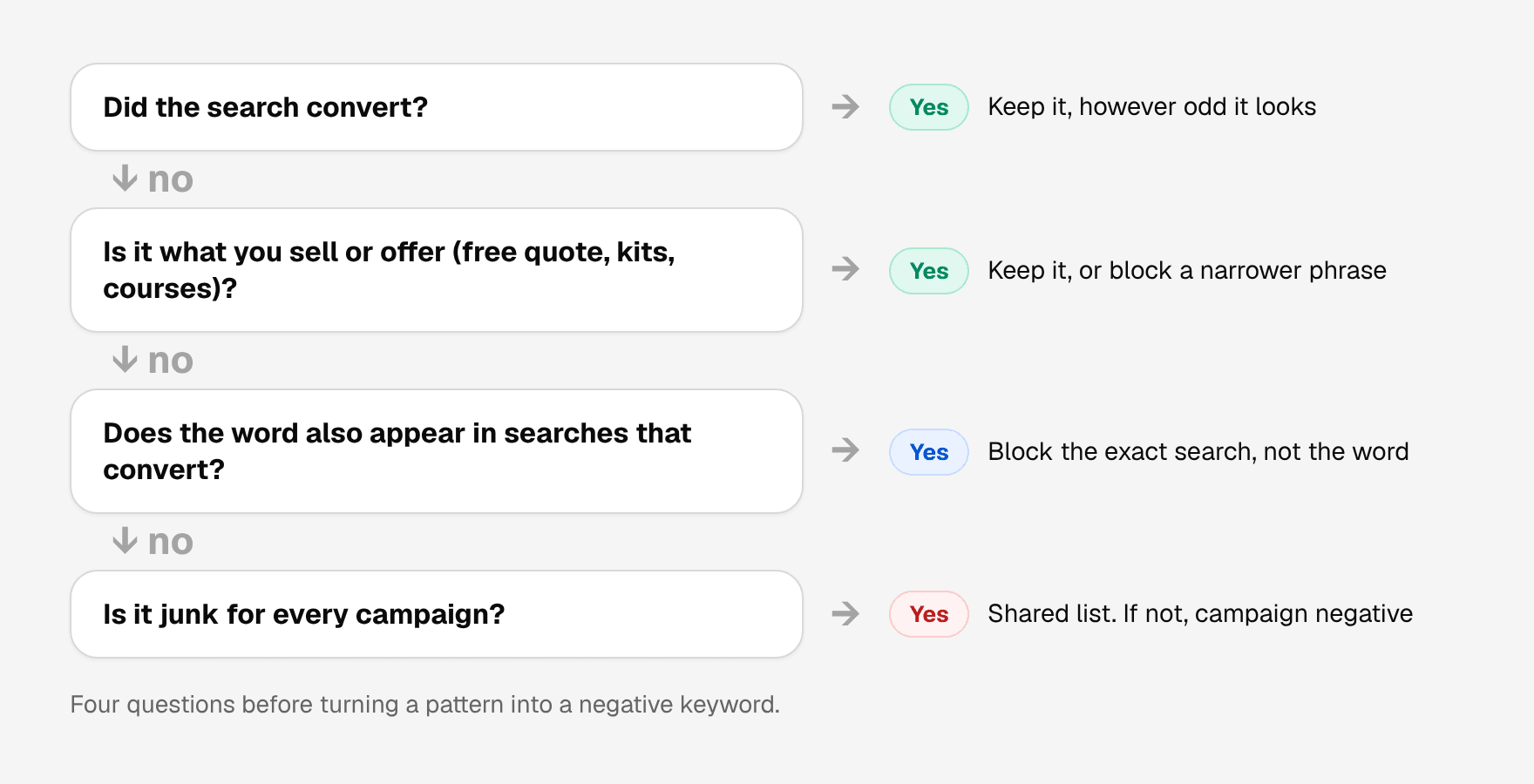
- Start from your report, not this page. Open Insights and reports, then Search terms, and look for these patterns in searches that spent money without converting (About the search terms report).
- Use phrase match for multi-word patterns such as "become a [service]". Use broad or phrase on a single word like jobs only after checking it doesn't appear in a search that converted.
- Add the forms you see. Negatives don't match plurals or synonyms, so "job" and "jobs" are separate entries.
- Group by theme in shared lists: one list for jobs, one for DIY, and so on. Google allows up to 20 lists per account, each with up to 5,000 negatives (About negative keyword lists).
- Check against your own keywords. A negative that overlaps with a keyword you bid on stops that ad from showing (Add negative keywords to campaigns).
Our practical guide to Google Ads negative keywords explains match types and list structure step by step.
A worked example
Here is what a first pass looks like for a fictional plumbing company, Eastside Plumbing, that does emergency repairs and installs water heaters in one metro area. It doesn't sell parts, train plumbers or serve the neighbouring state.
Illustrative example with a fictional business. These are not real searches from a client account, and no results are claimed.
| Search term | Pattern | Decision | Negative | Why |
|---|---|---|---|---|
| plumber apprenticeship near me | Jobs and careers | Block | apprenticeship (broad) | Someone who wants to become a plumber. |
| how to unclog a drain without a plumber | DIY and how-to | Block | "how to unclog" (phrase) | Wants to do it themselves. |
| water heater replacement parts | Used, rental, parts | Block | "replacement parts" (phrase) | Eastside doesn't sell parts. "Water heater replacement" stays open. |
| plumbing license exam | Training | Block | exam (broad) | A student, not a customer. |
| free plumbing estimate | Free | Keep | None | Eastside offers free estimates, so this can be a buying signal. |
| cheap emergency plumber | Price | Keep for now | None | Price-sensitive, but urgent. Let conversions decide. |
| emergency plumber near me | None | Keep | None | The search the campaign exists for. |
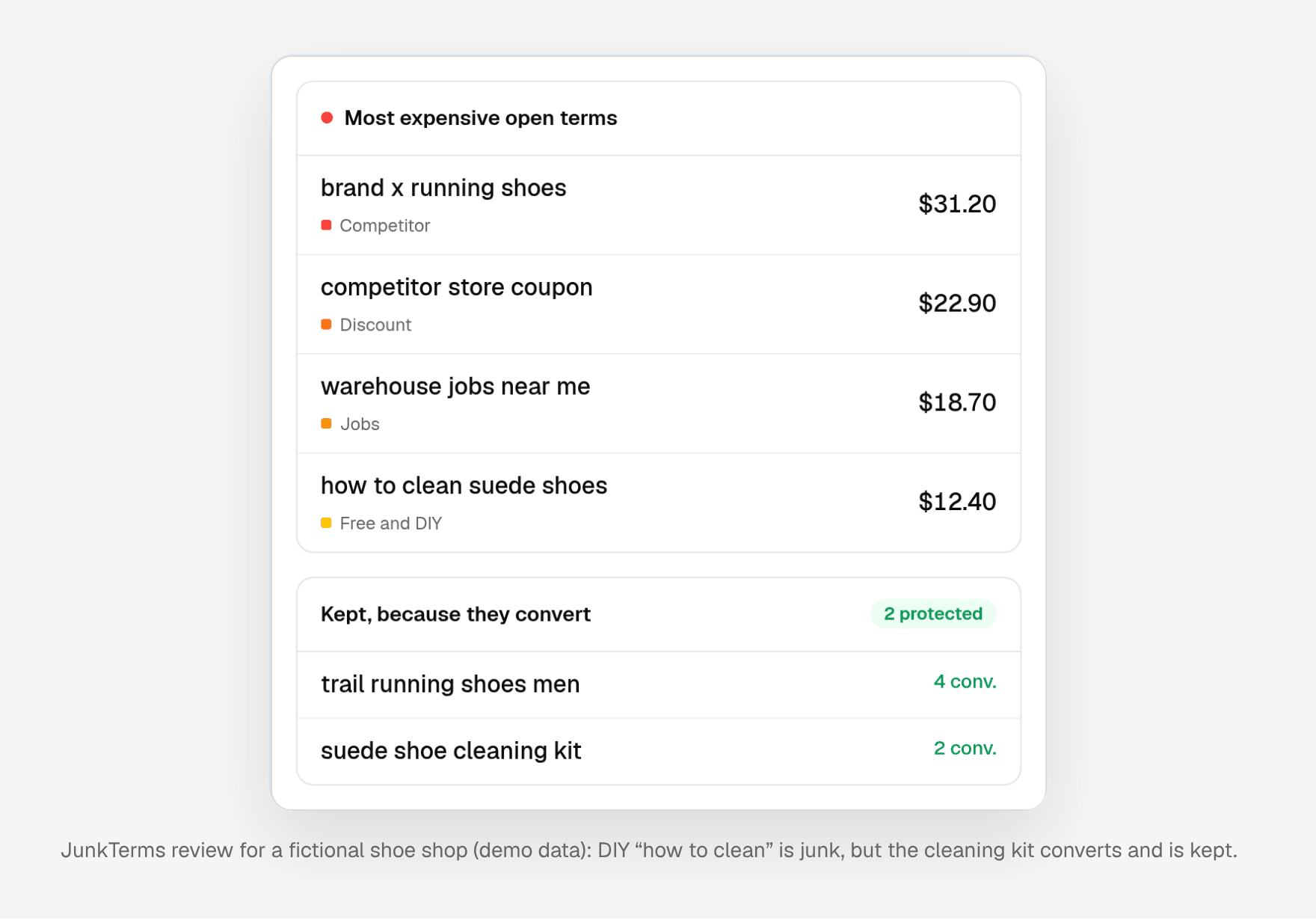
The point of the example is the two kept searches. "Free" and "cheap" are on most generic lists, and both would have blocked searches this business wants.
Build your own starter list
- Export 90 days of search terms, or the longest range you have, sorted by cost.
- Read the top of the list with the nine patterns beside you, and mark each search that fits one.
- For each marked search, check the conversions column. Anything that converted comes off the list.
- Write one negative per pattern at the narrowest wording that removes it, using the match type table above.
- Put the negatives that are junk for every campaign on a themed shared list, and the rest on the campaign where the junk appeared.
- Write down the borderline searches you kept, with the reason, so next week's review is faster.
Industry starter lists
The patterns are the same everywhere, but the words aren't. Our starter lists by industry apply them to 20 trades, for example dentists, plumbers, SaaS and fashion ecommerce. Your own search terms should always overrule them.
Spot the patterns in your own report
JunkTerms groups suggested negatives by reasons like these (Jobs, Free and DIY, Competitor, Discount seekers and more) and keeps searches that converted. Upload a search terms export to the free CSV demo with no login: it counts the likely junk your account is paying for, and an email opens the full list. The demo uses built-in rules for the common patterns on this page; nothing is added to Google Ads from that page. If you want the review every Monday, the plans start at $19 a month for one account, with $39 for up to three and $149 for up to fifteen, and a 14-day money-back guarantee instead of a trial.
FAQ
What are the most common negative keywords? Words tied to jobs, free offers, DIY, research, training, competitors, wrong locations, used or rental items, and logins. Whether each one is junk depends on what you sell.
Should I add "free" as a negative keyword? Only if free searches never convert for you. If you offer a free quote or consultation, check your conversions first and consider blocking specific phrases instead of the single word.
Is there a universal negative keyword list? No list fits every account. The patterns repeat, but a term that is junk for one business can be a sale for another. Use generic lists as a checklist and confirm against your search terms report.
Do I need to add plurals of negative keywords? Yes. Google states that negative keywords don't match close variants, so singular, plural and synonyms need separate entries. Casing and misspellings are handled automatically.
How should I organize common negative keywords? Group them by theme in shared negative keyword lists, such as jobs or DIY, and attach each list to the campaigns where that theme is never relevant.
Should I add competitor names as negative keywords? Only if competitor searches don't pay for you. Some advertisers bid on competitors on purpose. In Performance Max, Google recommends brand exclusions for brand traffic, because they also cover misspellings and variants.
Should I block "cheap" in Google Ads? It depends on what you sell. "Cheap" and "discount" are junk for some premium businesses and the main source of sales for others. Check your own conversions before blocking the word.
Should I block "near me" searches? Usually not. "Near me" often signals someone ready to buy locally. Block it only in combinations that are junk, such as "jobs near me", where the job pattern is the real problem.
How often should I update my negative keyword lists? Review new search terms weekly and add what fits a pattern. Once a quarter, read your existing negatives to check that none of them now blocks a search you want.
Do these negative keyword patterns apply to Performance Max? Yes. Performance Max takes campaign negatives, negative keyword lists and account-level negatives for Search and Shopping inventory. Use brand exclusions for brand and competitor traffic.
Every account gets one free analysis: run the script or upload a CSV (up to 1,000 terms).